VPC Atlas
VPC Atlas (vpcatlas) reads an AWS account and draws its network. It is a command line tool for DevOps and cloud
engineers who are asked for the network diagram: the one that shows every VPC, how the VPCs connect through Transit
Gateways, peerings, VPNs and Direct Connect, and what sits at the edge in front of them. Nobody keeps that diagram up
to date by hand, and drawing it from the console takes days. VPC Atlas draws it from the live account in minutes.
It is read-only by design. It calls Describe*, Get*, List* and Search* APIs and never creates, changes or
deletes anything. The minimal auditor policy it ships with grants nothing else, and you can check that by
reading it.
Manifesto
Five rules the tool is built on (the long form is on the site):
- Read-only by design. It only calls read APIs and prints the auditor policy it needs.
- Nobody should draw the map. A drawn map is wrong a week later; the tool rebuilds it from the live account.
- Same input, same drawing. Nothing moves between two runs unless the network moved, so a diff means something.
- Honest about gaps. A denied call becomes a documented gap, never a silent hole in the map.
- It runs where you run it. A command line tool, a binary and a container image; no agents, no telemetry.
What it looks like

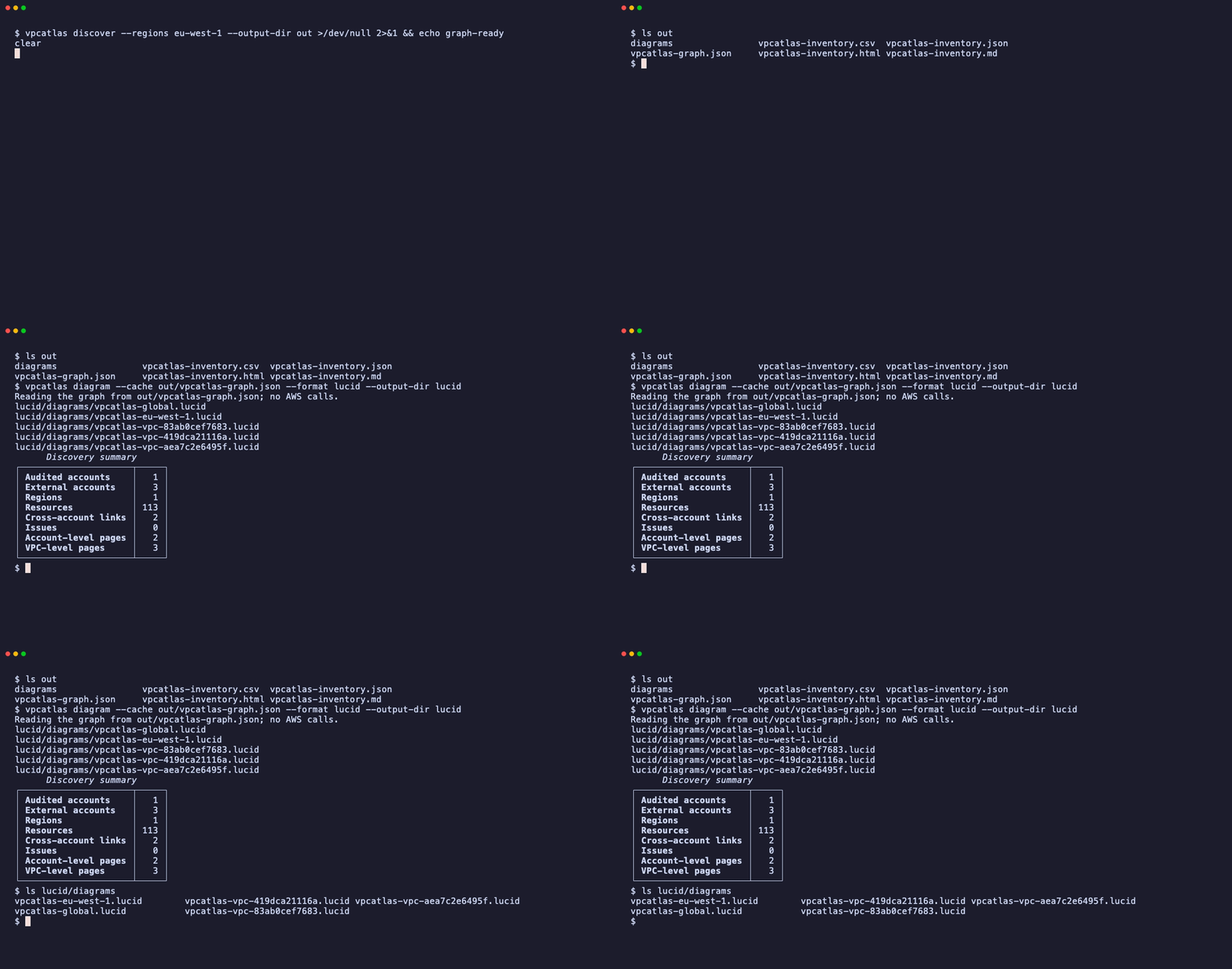
| Inventory only | Diagrams again from a saved graph |
|---|---|
 |
 |
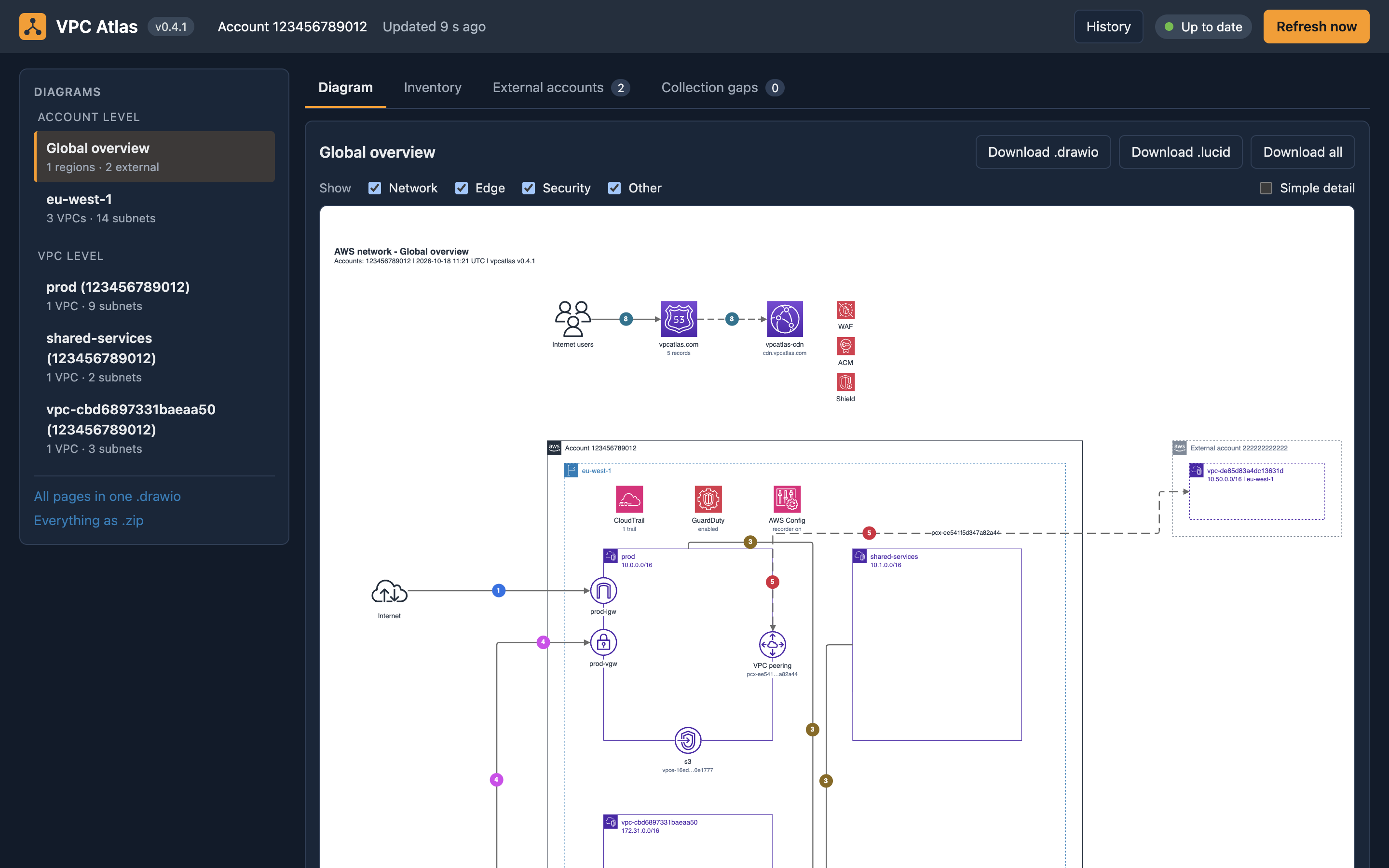
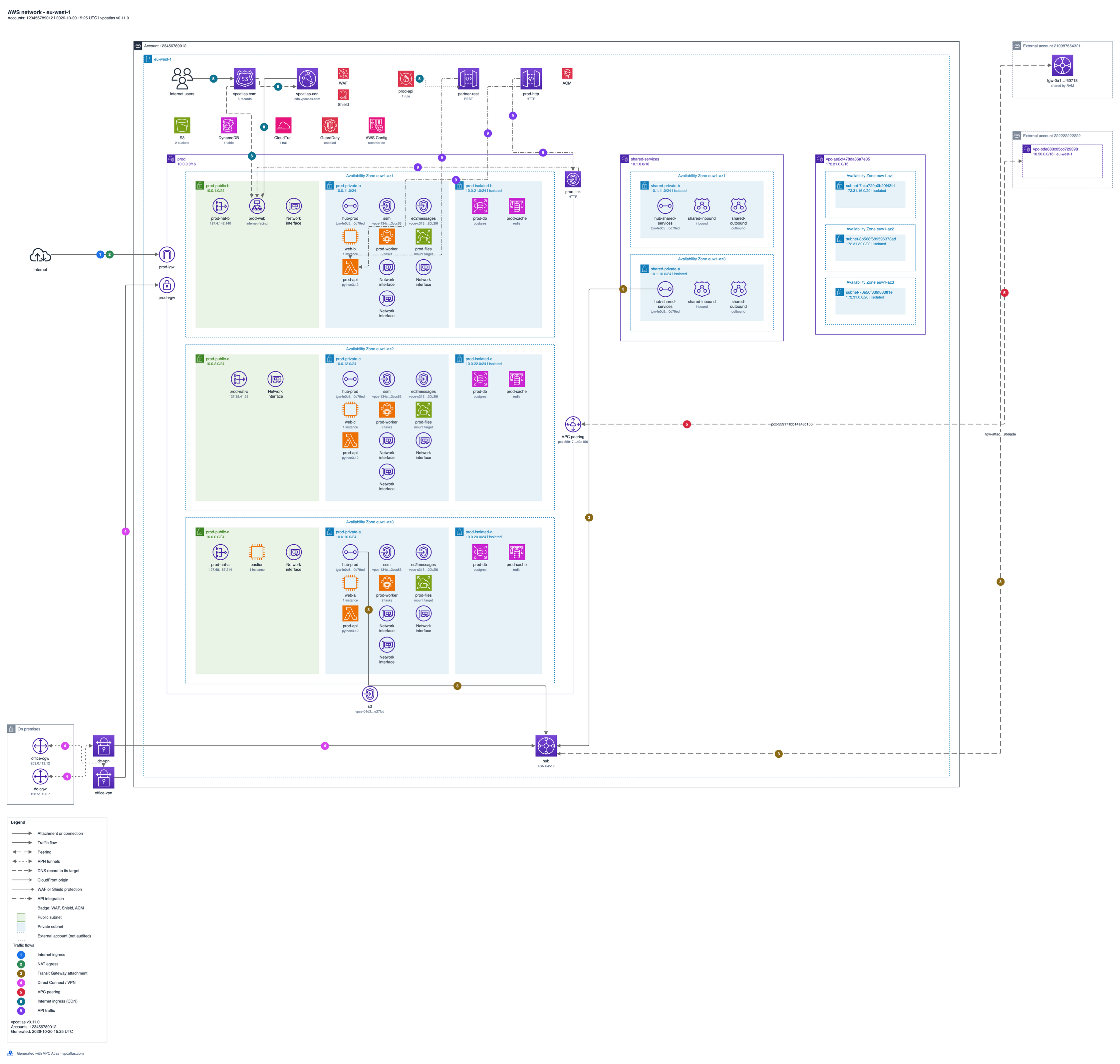
| Dashboard | Region diagram (eu-west-1) |
|---|---|
 |
 |
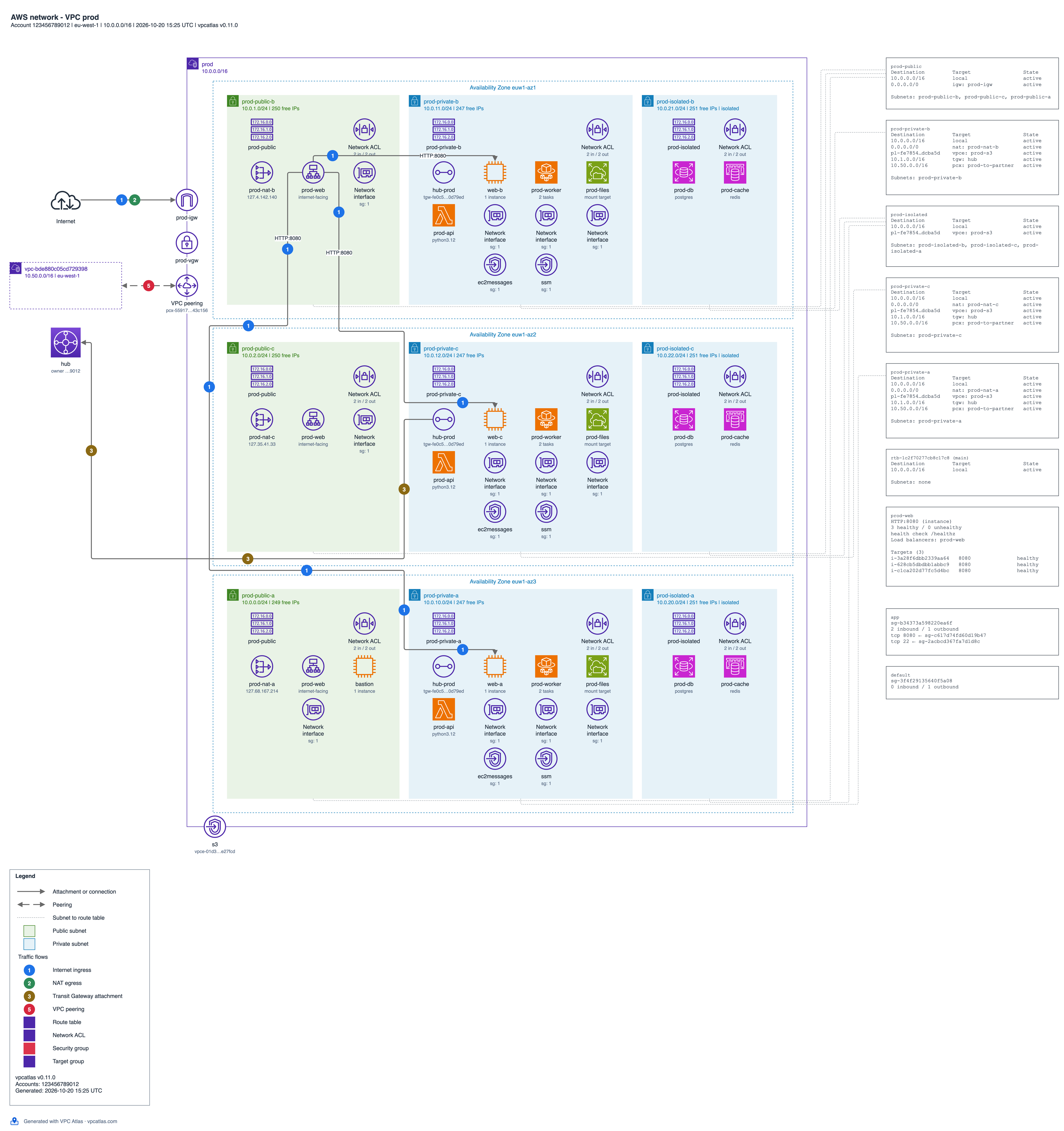
One VPC page: subnets, routing and numbered flows.
| Transit Gateway page | API Gateway page |
|---|---|
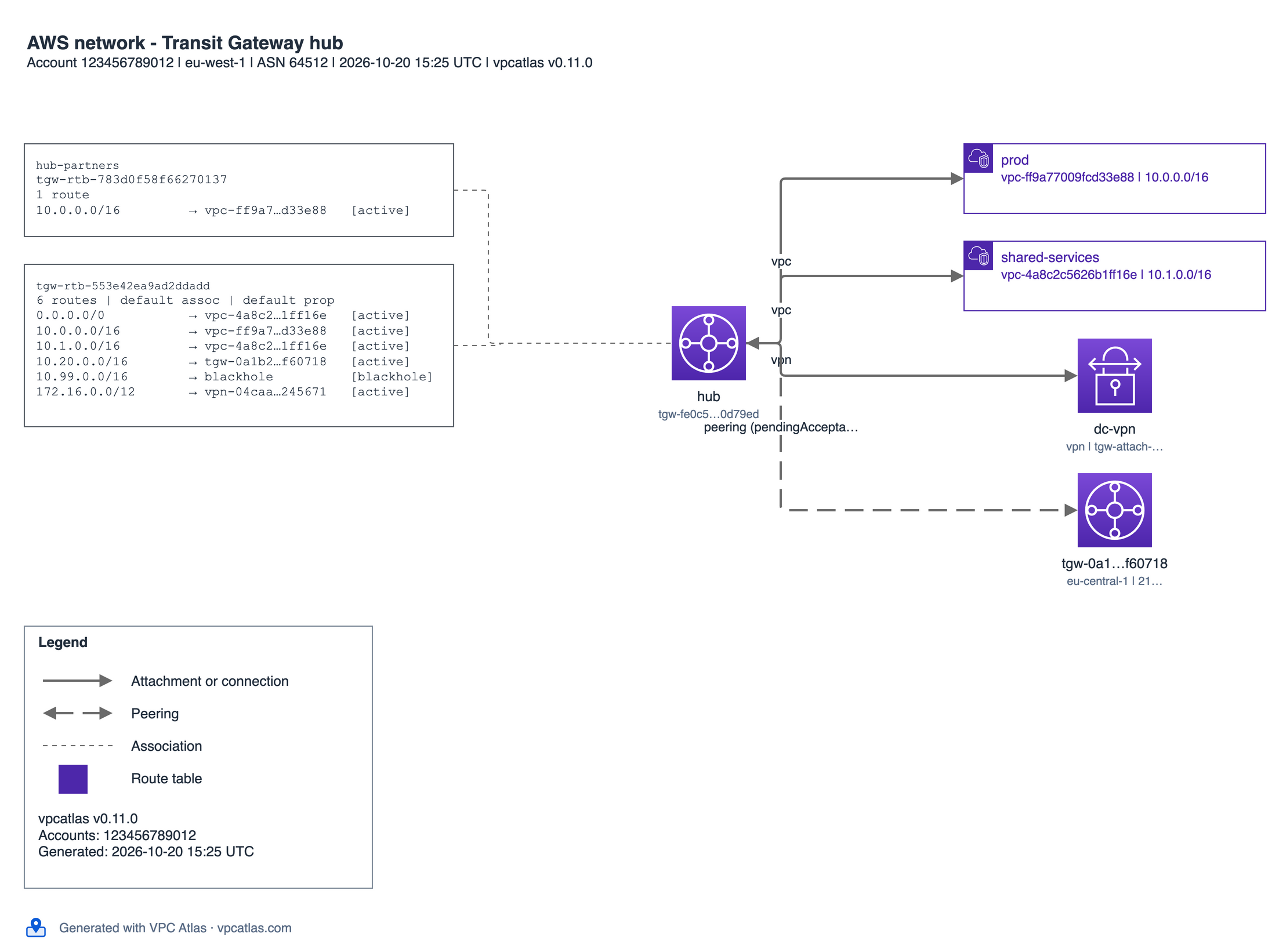 |
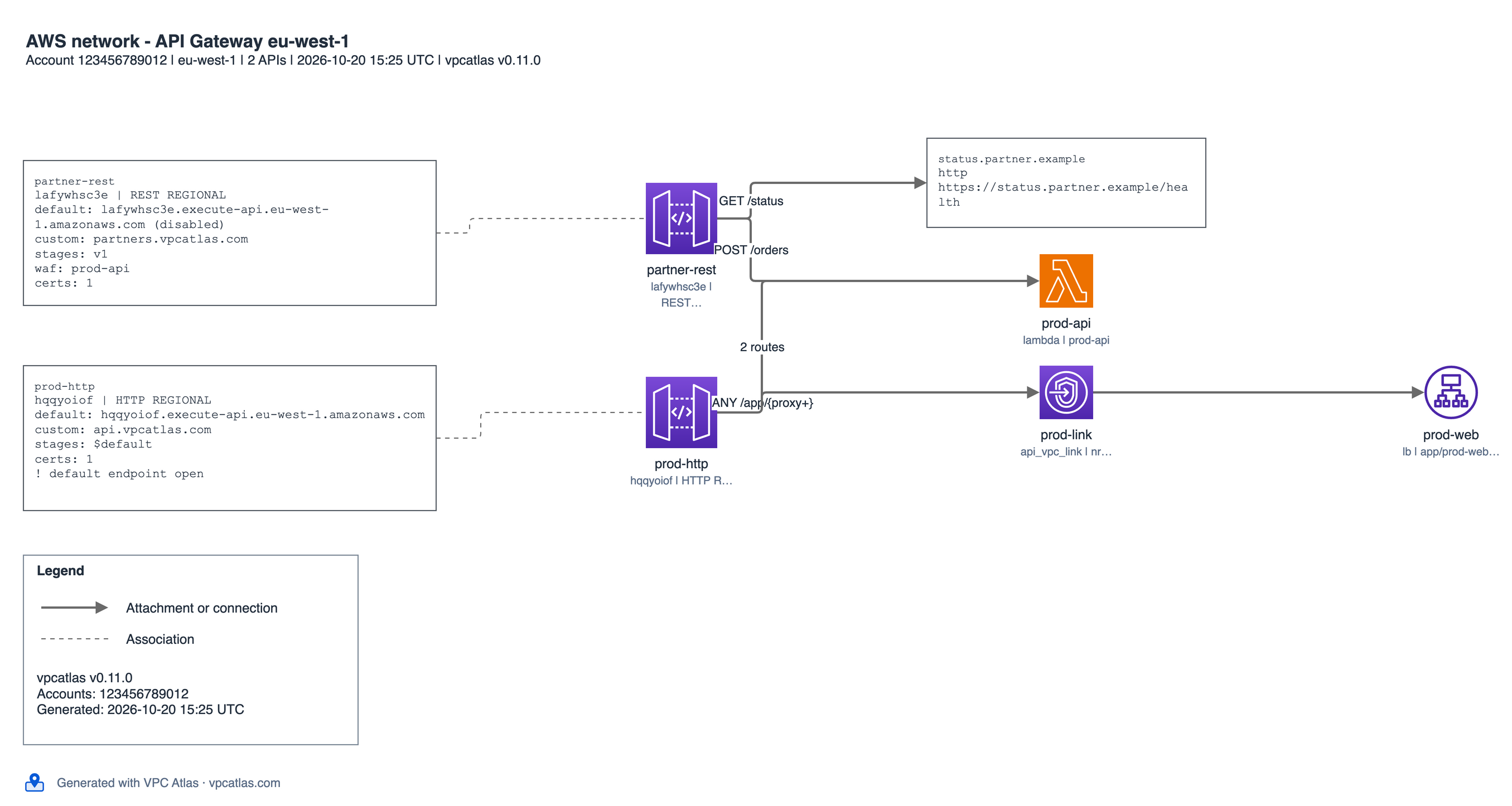 |
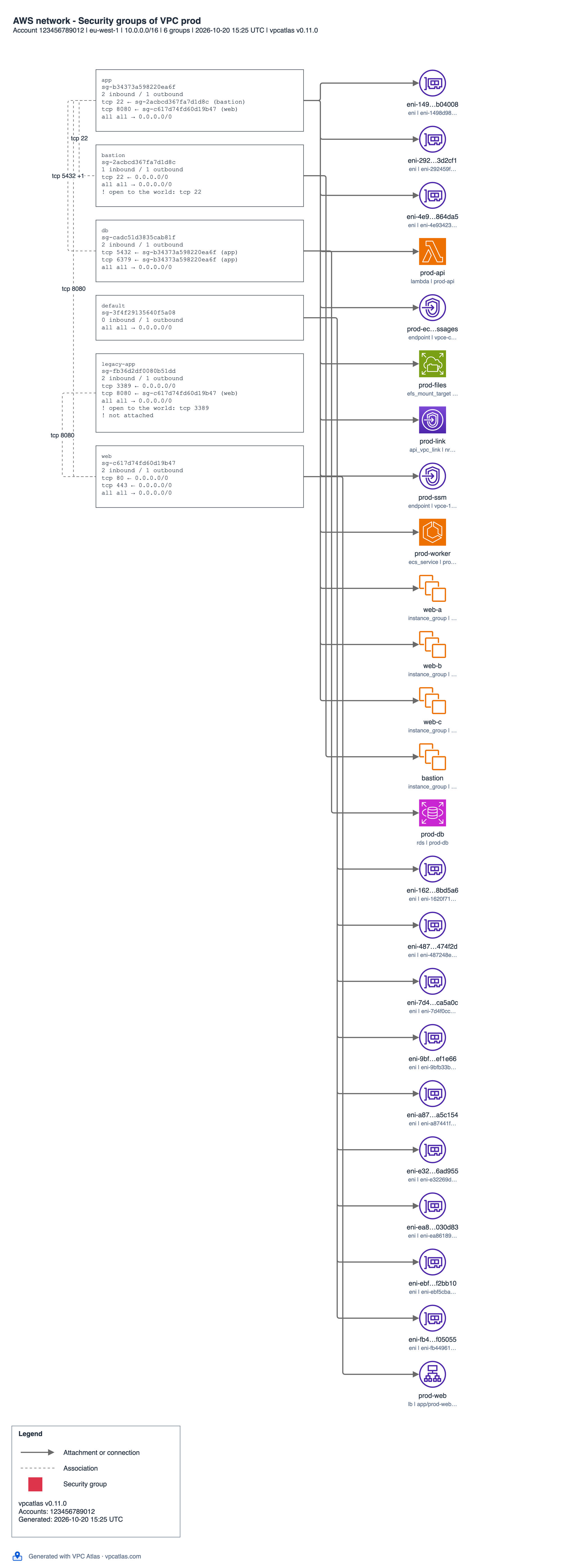
Focus pages, from --focus tgw,sg,apigw: one service at the centre of each page, with the findings it raises.
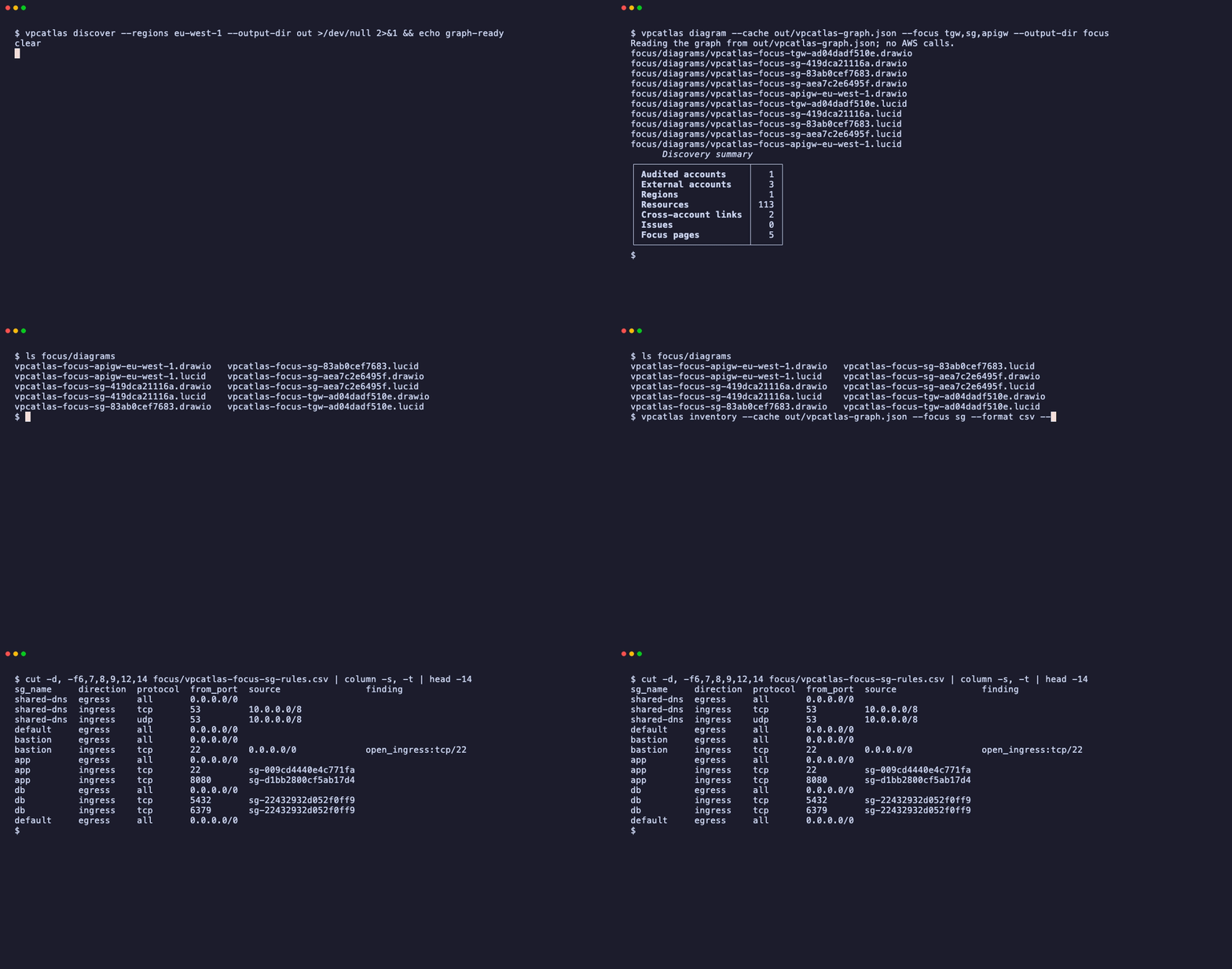
The recordings and the diagrams come from scripts/demo.sh running against a simulated AWS account (moto), and the dashboard image is a capture of vpcatlas serve on the same account, so the ids you see are examples.
What you get
One run produces three kinds of output.
| Output | Files | Use |
|---|---|---|
| Diagrams | vpcatlas-global.drawio, vpcatlas-<region>.drawio, vpcatlas-vpc-<id>.drawio, and the same set as .lucid |
Editable diagrams in draw.io (diagrams.net) and Lucidchart, drawn with the AWS Architecture Icons. A Global page, one page per region and one page per VPC, with numbered flows. See Diagrams. |
| Inventory | vpcatlas-inventory.json, vpcatlas-inventory.md, vpcatlas-inventory.html, vpcatlas-inventory.csv |
Every resource, account by account, with the external accounts you are linked to. The JSON follows the versioned schema vpcatlas-inventory/1. See Inventory. |
| Dashboard | vpcatlas serve |
The same diagrams live in the browser, with history, a diff between two runs and downloads in draw.io and Lucid format. See Dashboard. |
The raw result of a scan is also saved as vpcatlas-graph.json, so you can redraw or re-export later without calling
AWS again. See Graph file.
Three ways to install it, the dashboard in all of them
| Channel | Command | Dashboard |
|---|---|---|
| Binary (a folder, no Python) | curl -fsSL https://vpcatlas.com/install.sh \| sh |
included |
| Binary on Windows (a folder, no Python) | irm https://vpcatlas.com/install.ps1 \| iex |
included |
| Python package | pipx install vpcatlas |
included |
| Docker image | docker pull vpcatlas/vpcatlas |
included |
All three run the same code and the same commands: discover, inventory, diagram, serve and iam-policy. Details
are on the Install page.
Credentials work the way the AWS CLI's do
VPC Atlas supports the usual ways to reach AWS: environment variables, shared credentials and config files, SSO profiles, assumed roles with an external ID and MFA, and the roles that come with EC2, ECS, EKS and Lambda. Secret keys are never command line flags. Several accounts can go into one graph. See Credentials.
A 60-second example
curl -fsSL https://vpcatlas.com/install.sh | sh
vpcatlas iam-policy > auditor-policy.json        # the policy to attach to the auditor role, once
vpcatlas discover --profile audit --regions eu-west-1,us-east-1
vpcatlas serve --cache vpcatlas-out/vpcatlas-graph.json
On Windows, install from PowerShell with the same kind of one-liner:
irm https://vpcatlas.com/install.ps1 | iex
The third command writes everything to ./vpcatlas-out: the graph, the inventory and a diagrams/ folder. Open any
.drawio file in diagrams.net, or import any .lucid file into Lucidchart. The fourth command opens the dashboard on
http://127.0.0.1:8080 over the scan you just made, without calling AWS again. The Quickstart walks
through the same steps one at a time.
Where to go next
- New here: Install, then the Quickstart.
- Reaching AWS through a role, SSO or several accounts: Credentials.
- Every command and option: Command line.
- Running it from a coding agent: Agent skill, a
SKILL.mdany agent that reads skills can load. - Running the dashboard for a team: Deploy on Docker, ECS, Kubernetes or Lambda.
- What is read and what is not: Coverage and Limitations.
- How the diagrams are drawn: Architecture and Diagram style.